
Supporting Reentry Programs with Approved Devices
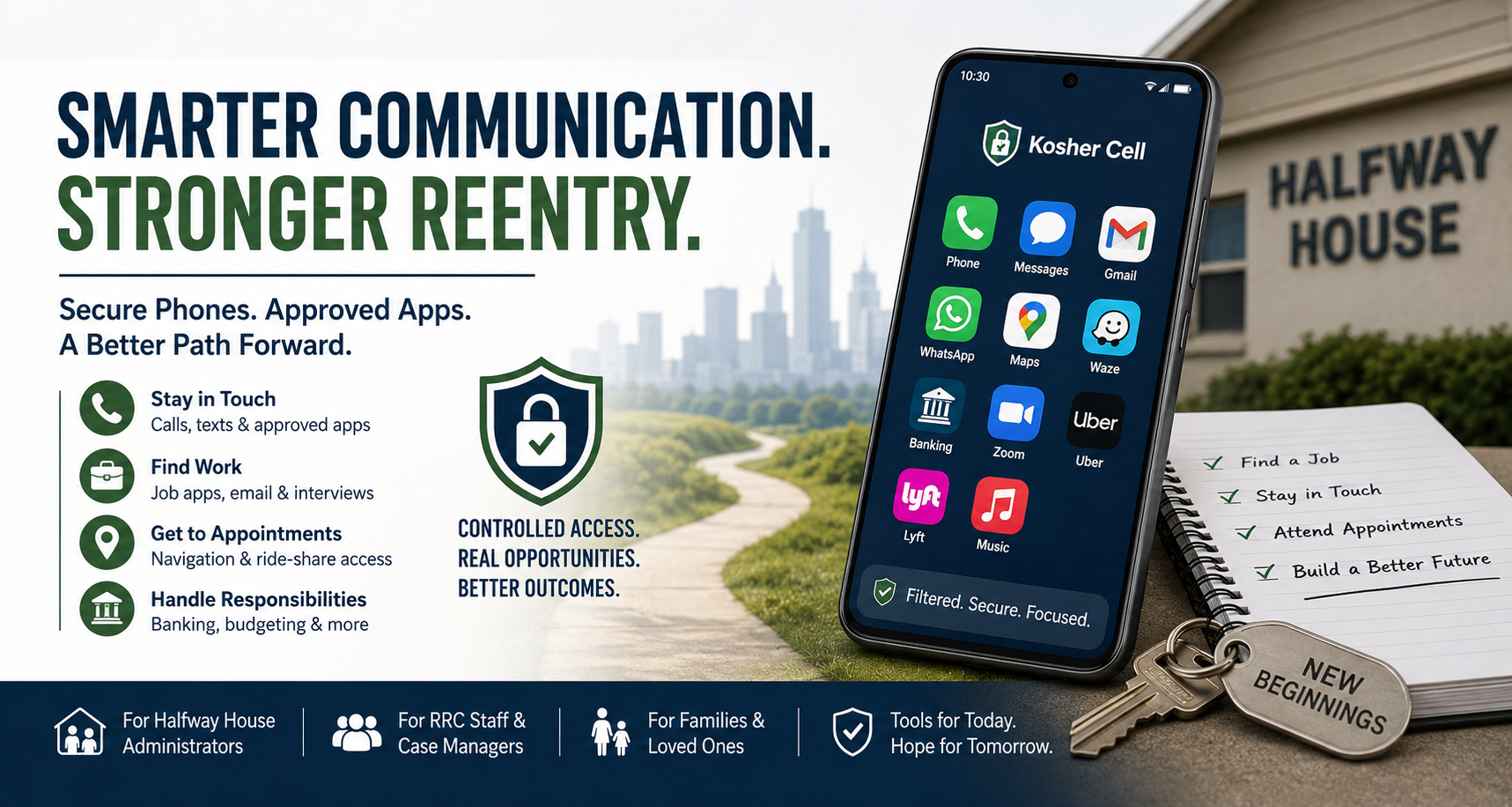
A guide for halfway house administrators, RRC staff, case managers, and family members navigating technology during reentry.
Reentry is hard enough without adding a communication problem to it.
Most people leaving incarceration or entering a halfway house need a phone almost immediately — to call family, apply for jobs, confirm appointments with probation officers, get to interviews, and handle the logistics of picking life back up. But they often need that phone to meet conditions that a normal smartphone can’t meet: no social media, no unrestricted browsing, no access to certain content, sometimes no access to certain contacts.
For years, the workaround has been a basic flip phone. And for many residents, a basic flip is still the right answer. But a flip phone can’t run the job-search apps, banking apps, or navigation that make getting back on your feet dramatically easier. It forces a choice between compliance and capability.
Kosher Cell was built for a different community — Orthodox Jewish families — but the same technology that lets a yeshiva student use Gmail and WhatsApp without open internet access turns out to be exactly what reentry programs need.
What we build
Our phones run on an operating-system-level filter. That’s an important distinction: it’s not a parental-control app a resident could uninstall, and it’s not a browser extension they could disable. The filter is baked into how the phone works. Even a factory reset doesn’t remove it.
On a Kosher Cell Samsung or Pixel device, residents have access to:
• Calls and texts on nationwide networks
• Gmail and other allowed email clients
• WhatsApp (with feeds, channels, and AI features blocked)
• Navigation apps like Waze and Google Maps
• Banking apps (Chase, Bank of America, Venmo, etc.)
• Zoom for meetings and remote job interviews
• Ride-sharing apps like Uber and Lyft for getting to work or appointments
• Music apps
They do not have access to:
• A web browser
• Social media apps (Facebook, Instagram, TikTok, X)
• Open AI chatbots (ChatGPT, etc.)
• App stores where new apps could be downloaded without approval
• RCS messaging features (which can embed AI assistants)
Why the MDM matters
Every Kosher Cell device is managed through a mobile device management system. That means a facility — or a family member, if that’s the right structure — can request changes to what’s allowed on a specific phone at any time. Need to add a particular bank’s app because that’s where the resident’s direct deposit lands? Email us. Need to remove navigation because it’s part of a geographic restriction? Email us.
Changes push to the phone within minutes. The resident opens the Gentech Safe app on their device, taps Update Policy, and the new configuration applies.
For case managers overseeing many residents, we assign organizational prefixes that let you request bulk changes across a group — helpful if your program adds or removes an approved app for all residents at once.
What we can and can’t promise
We’re honest with partner programs about what our technology does and doesn’t do:
What we can do reliably: Remove the browser, block unauthorized app installation, prevent access to social media and inappropriate content, and give your facility the ability to approve or deny specific apps for specific residents.
What we can’t do: Control what happens if a resident swaps the SIM card into another phone. The device is filtered; the SIM is just a SIM. For programs where SIM-swapping is a realistic concern, we typically recommend a lower-data plan combined with the filtered phone so the economics don’t favor swapping.
We also can’t replace case management or supervision. Our phones give residents the tools they need to succeed while staying within the rules of their program — but the phone is a tool, not a substitute for the relationships and oversight that actually drive successful reentry.
How programs work with us
Most programs start with a conversation. We want to understand what your residents actually need to do — find work, stay in touch with family, attend treatment, handle finances — and what’s prohibited. From there we recommend a device and app configuration.
Some programs:
• Buy phones in bulk for residents and fold the cost into program budgets.
• Work with residents’ families, who cover the device and monthly plan.
• Refer residents to us directly and let residents handle the purchase.
• Combine all three depending on the resident’s circumstances.
We can also train staff on how to request app changes, troubleshoot common issues, and help residents use the device — usually a 20-minute call.
What this typically costs
Phones range from about $99 for a simple kosher flip up to several hundred dollars for a koshered smartphone. Plans run from $8.50/month (talk and text only) to $40/month (unlimited). Most residents land in the $18–$30/month range, which gives them talk, text, and enough data for the apps they actually need.
Institutional and volume pricing is available. Email support@koshercell.org or call (848) 299-4081 and we’ll put together a proposal.
A final note for case managers
If you’re evaluating this for a program, we’d encourage you to request a demo device. Seeing how the phone actually works — what it permits, what it blocks, how easy or hard it is for a resident to use day-to-day — answers most of the questions better than any sales call can.
We’d rather you see it, use it, and make an informed decision than sign up for something that doesn’t fit your program.